Mapping and MIDI Learn
Map buttons, faders and knobs to supported actions. Learn inputs per Wing, keep factory bindings or override them, and use momentary, toggle or continuous behavior with implemented transforms.

 MLJ LIGHTING
ETC Eos at the core · Multiple ecosystems
One modular Windows suite, developed primarily around ETC Eos professional workflows. Connect controls, program music-led shows and coordinate supported systems.
ONE WINDOWS SUITE · INDEPENDENT MODULES
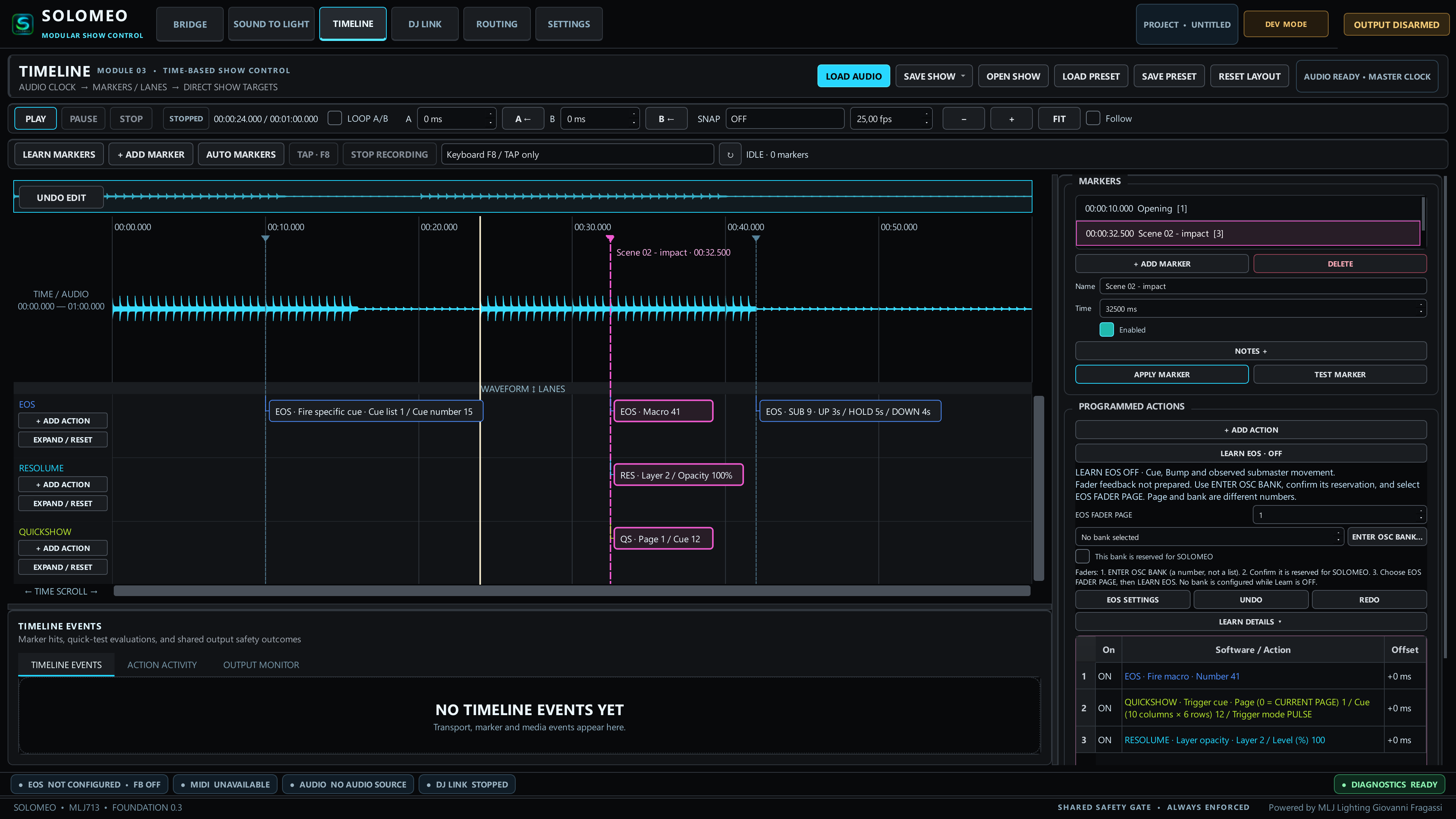
SOLOMEO is the suite. Bridge is one module. Routing and Settings provide shared configuration and output control. The screens show real software with demo data, not a live hardware demonstration.
01SOLOMEO + ETC Eos
Developed primarily around professional Eos workflows, with dedicated OSC actions and links between physical control and music-led programming.
Bring supported Eos commands onto your chosen controls. Prepare music-led sequences in a Windows workspace, with Bridge for control mapping and Timeline for programmed actions.
Extend your programming workflow with external controllers and Timeline actions sent to the configured Eos destination. Keep each module’s programming separate.
Cue / Cue List · Macro · Snapshot · Submaster · Fader / Button · Key · Custom OSC
02BRIDGE
Dedicated ETC Eos integration. Bring Submasters, Faders, Macros and Cues to your controls, with native MLJ724 integration and MIDI / OSC mapping.
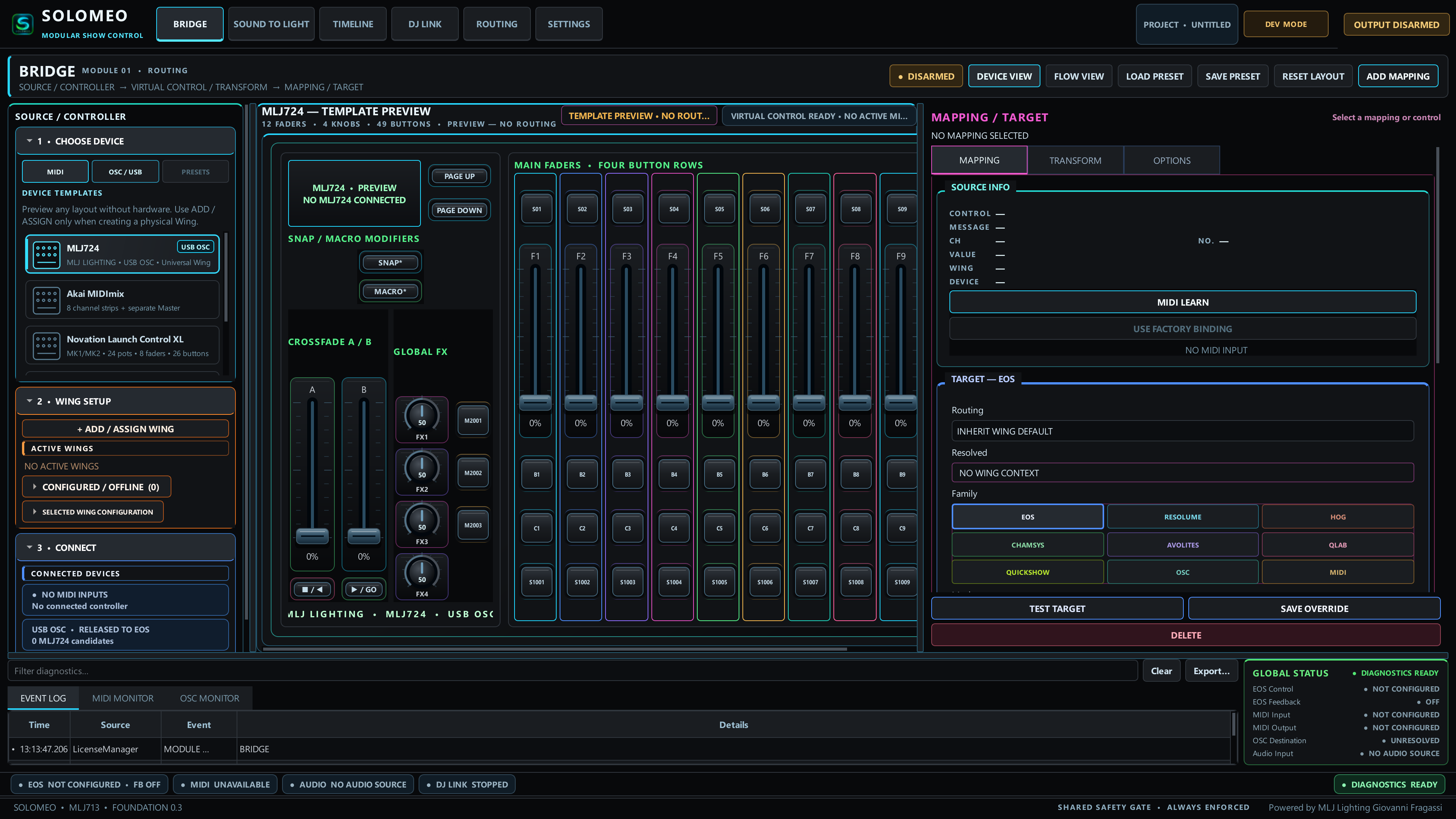
Map buttons, faders and knobs to supported actions. Learn inputs per Wing, keep factory bindings or override them, and use momentary, toggle or continuous behavior with implemented transforms.
Keep input ownership, mappings and destination context distinct for each Wing. Use a default target family with explicit overrides on individual controls.
Start from MIDImix, Launch Control XL MK1/MK2, original APC Mini or Generic MIDI templates. Programmable layouts and ambiguous device identities require configuration.
Create up to eight editable Generic layouts, with up to 256 controls each: buttons, faders, pots, encoders and wheels.
MLJ724 · NATIVE USB OSC
Native MLJ724 integration uses its USB OSC vocabulary and a dedicated virtual surface. Explicit take/release ownership distinguishes SOLOMEO operation from release to Eos.
03TIMELINE
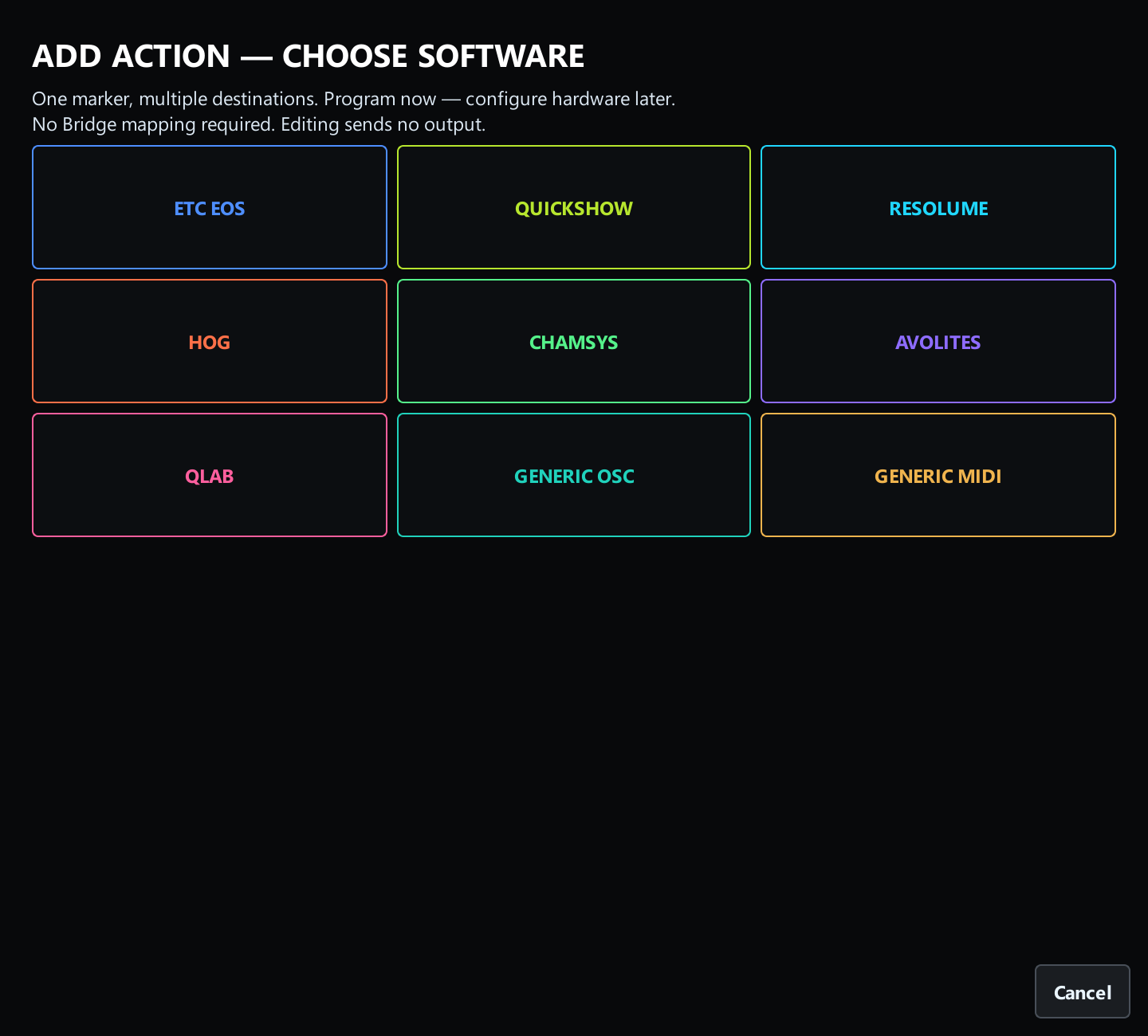
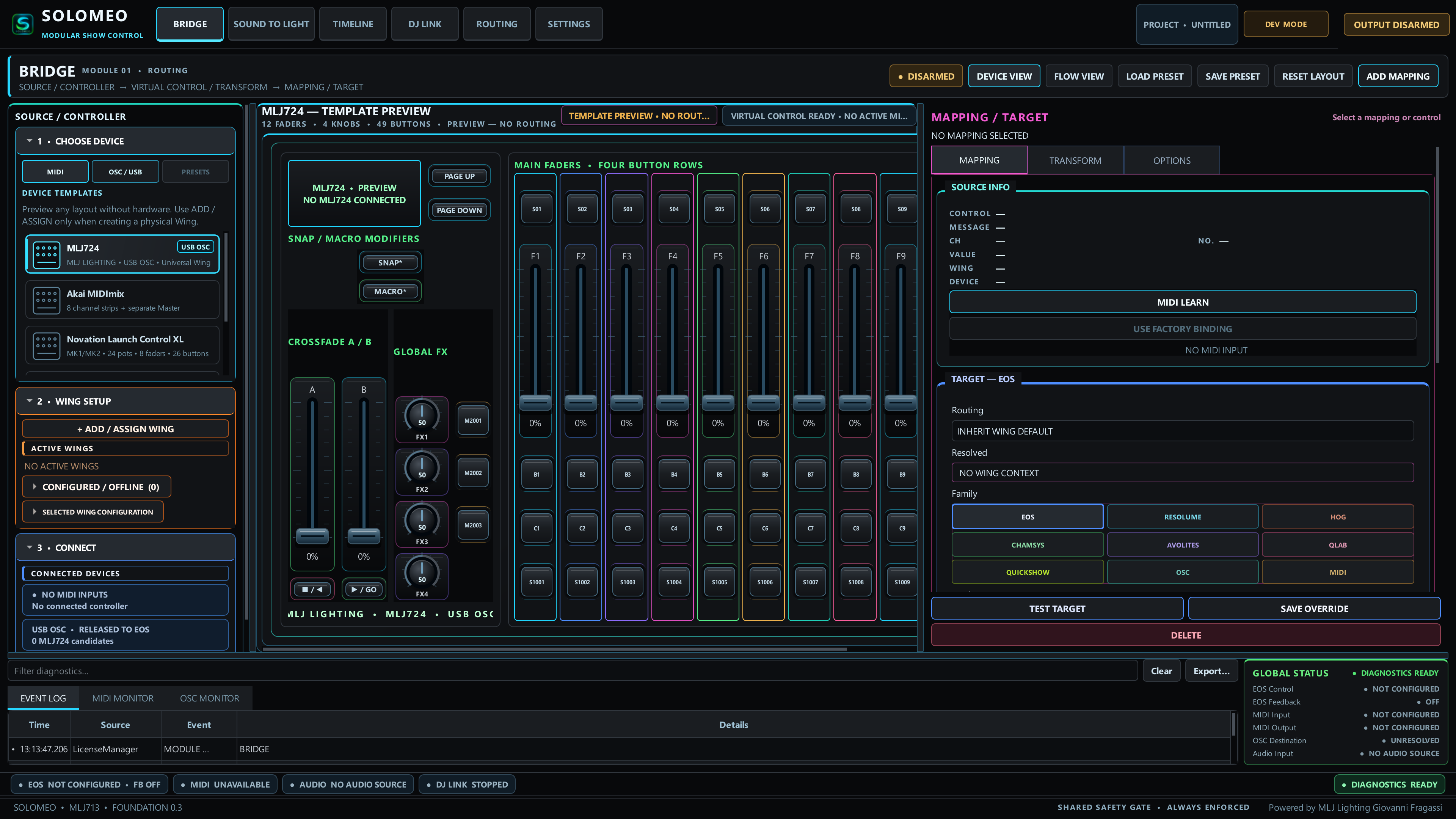
Load music, build synchronized show programming and combine Eos with other supported destinations. Timeline has its own actions: no duplicate Bridge mapping is required.
WAV / MP3
Place, tap or refine.
Eos and other targets.
Project + original audio.
Import or drag in WAV/MP3 files. Work with the waveform and Play / Pause / Stop transport while preparing the show.
Select and drag markers, organize target lanes, zoom and pan, use snap and supported undo. Set positive or negative timing offsets for individual actions.
The Universal Action Editor combines target-specific actions, parameters and enabled states at the same moment. Only supported, configured actions can execute.
Learn Markers records taps from F8, a configured shortcut or a reserved Wing button, without assigning commands. Normal scrubbing sends no scheduled actions; intentional Shift Quick Test uses the shared output checks.
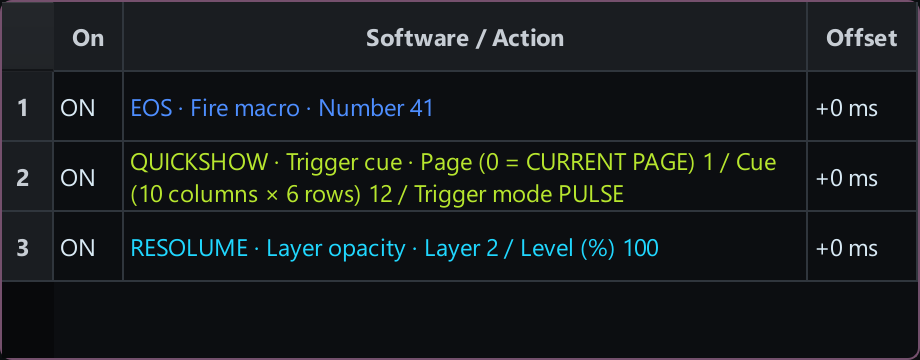
Combine a supported Eos action with media, cue or other target commands. Each action retains its own parameters and timing offset.
SMART MUSIC ANALYSIS
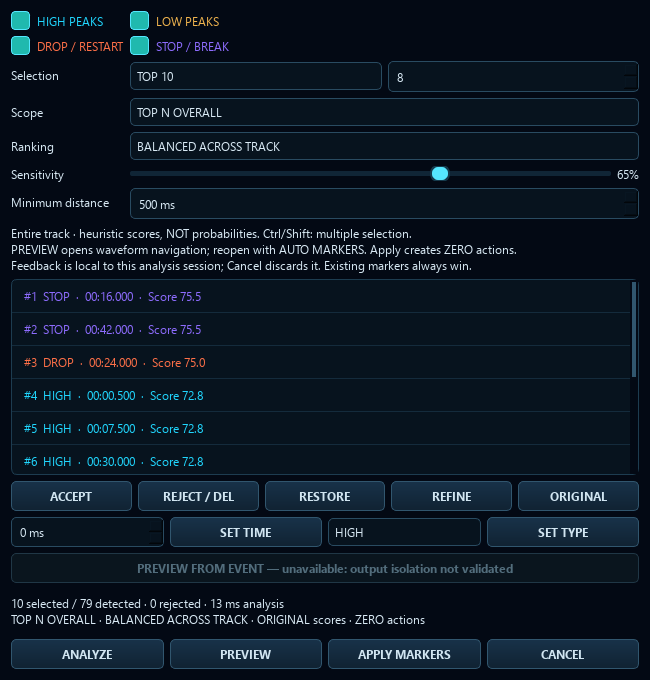
Review HIGH / LOW peaks, DROP / RESTART and STOP / BREAK suggestions. Preview, rank, space, reject, edit or refine candidates before applying markers. You decide which moments become show actions.
Heuristic scores are not probabilities. No automatic cue assignment; musical validation remains pending.
ETC EOS · SUBMASTER
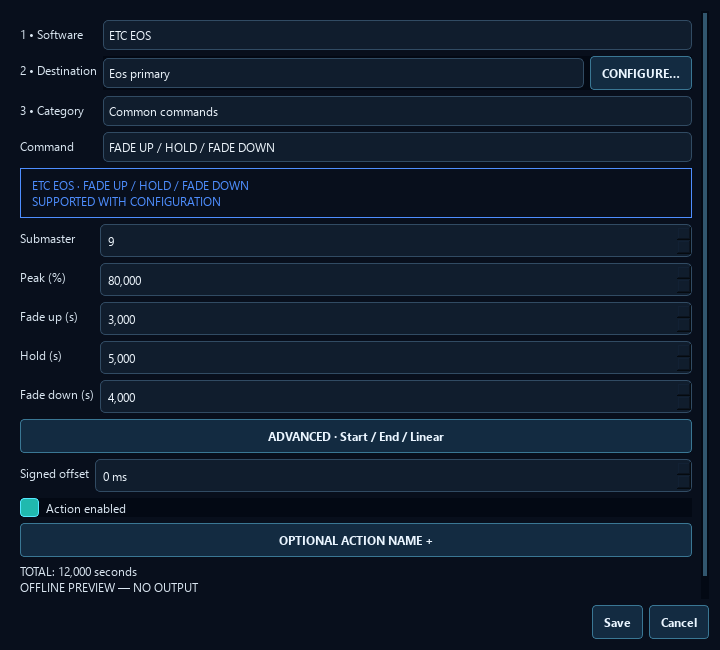
Program a shaped Submaster action with explicit levels and durations, driven by the Timeline clock. Keep the complete envelope in one event.
Real Eos smoothness has not been accepted. Stop or disarm is not a guaranteed remote blackout.
04 / EOS LEARN · TIMELINE
SOFTWARE TESTS PASSED
A suite workflow connecting Eos control with Timeline acquisition. Learn belongs to Timeline; Bridge remains the independent controller module.
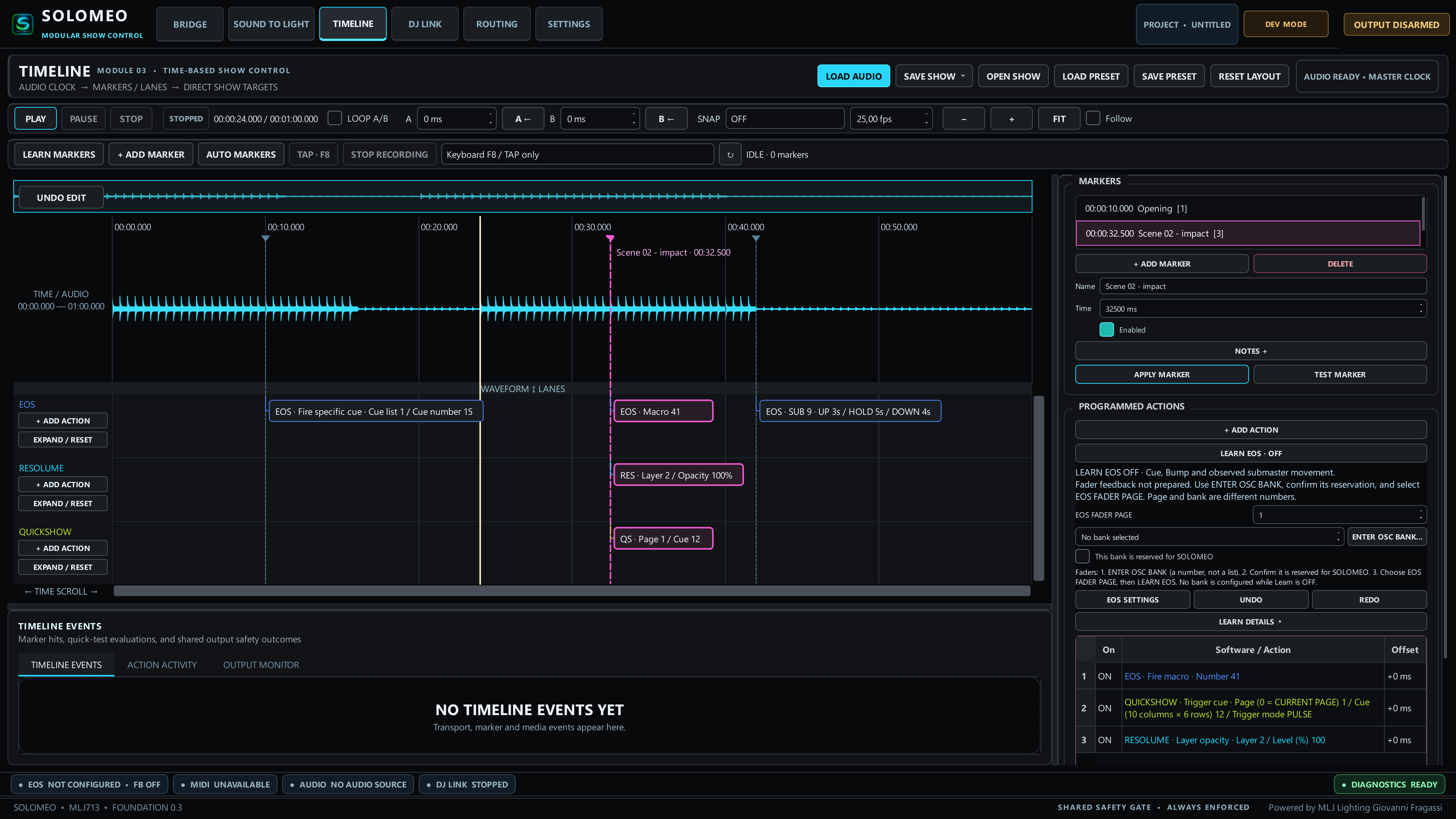
Fader Page: separate learning scope is not verified in the supplied source pack. Preconfigured banks are required; no automatic bank allocation claim.
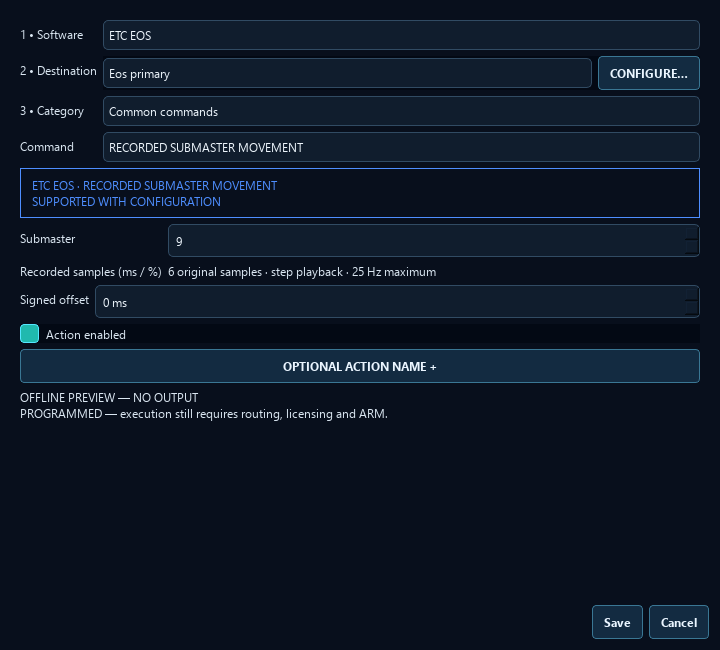
Acquire qualified incoming Cue events and completed Bump press/release pairs into Timeline actions, preserving the observed Bump duration.
Explicit Learn ON/OFF survives selection and interface changes. Separate placement rules apply when stopped or playing.
Store timestamped feedback samples and replay steps through existing execution services, up to 25 Hz. This requires a known identity, range and baseline.
Cue, Bump and observed-curve software tests have passed. These internal-build results do not establish completed physical-fader acceptance or public release availability.
05SOUND TO LIGHT
Turn audio analysis into show-control actions for supported lighting destinations, within the Eos-focused, multi-ecosystem SOLOMEO suite.
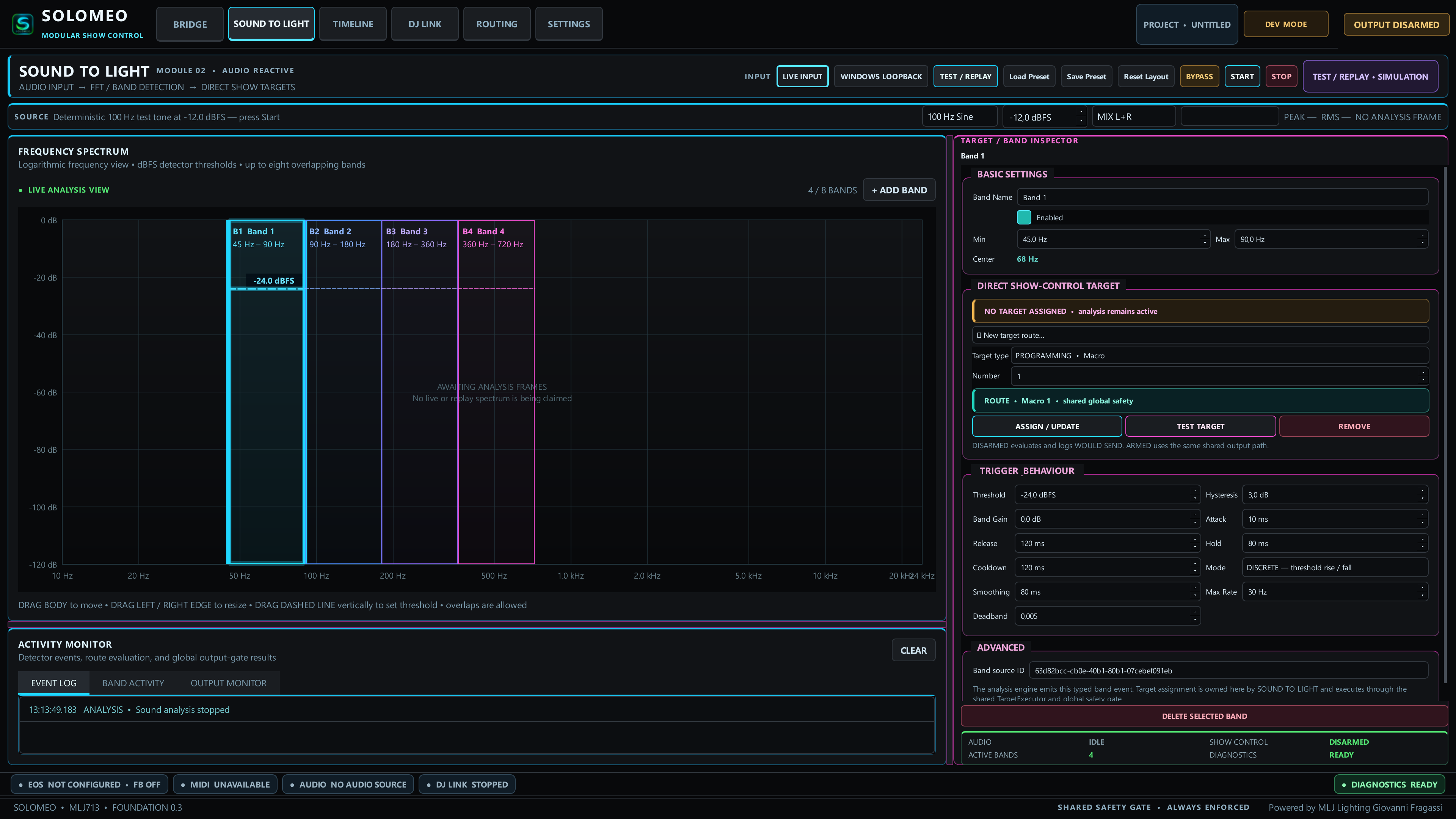
Use frequency analysis and band ranges to shape audio response. Adjust threshold, hysteresis, attack, release, hold and cooldown.
Assign supported actions to configured Eos or other lighting destinations. Detector output goes through the suite’s authorization and routing checks.
Physical-input capture and Windows WASAPI system-output loopback are implemented. Test and replay sources are separately identified.
Keep band and detector programming in Sound to Light while using the common SOLOMEO settings and output path. No duplicate Bridge mapping is required.
06DJ LINK
Prepare DJ-to-show workflows with passive monitoring, Track Library bindings and offline replay. An independent module in the wider SOLOMEO suite.
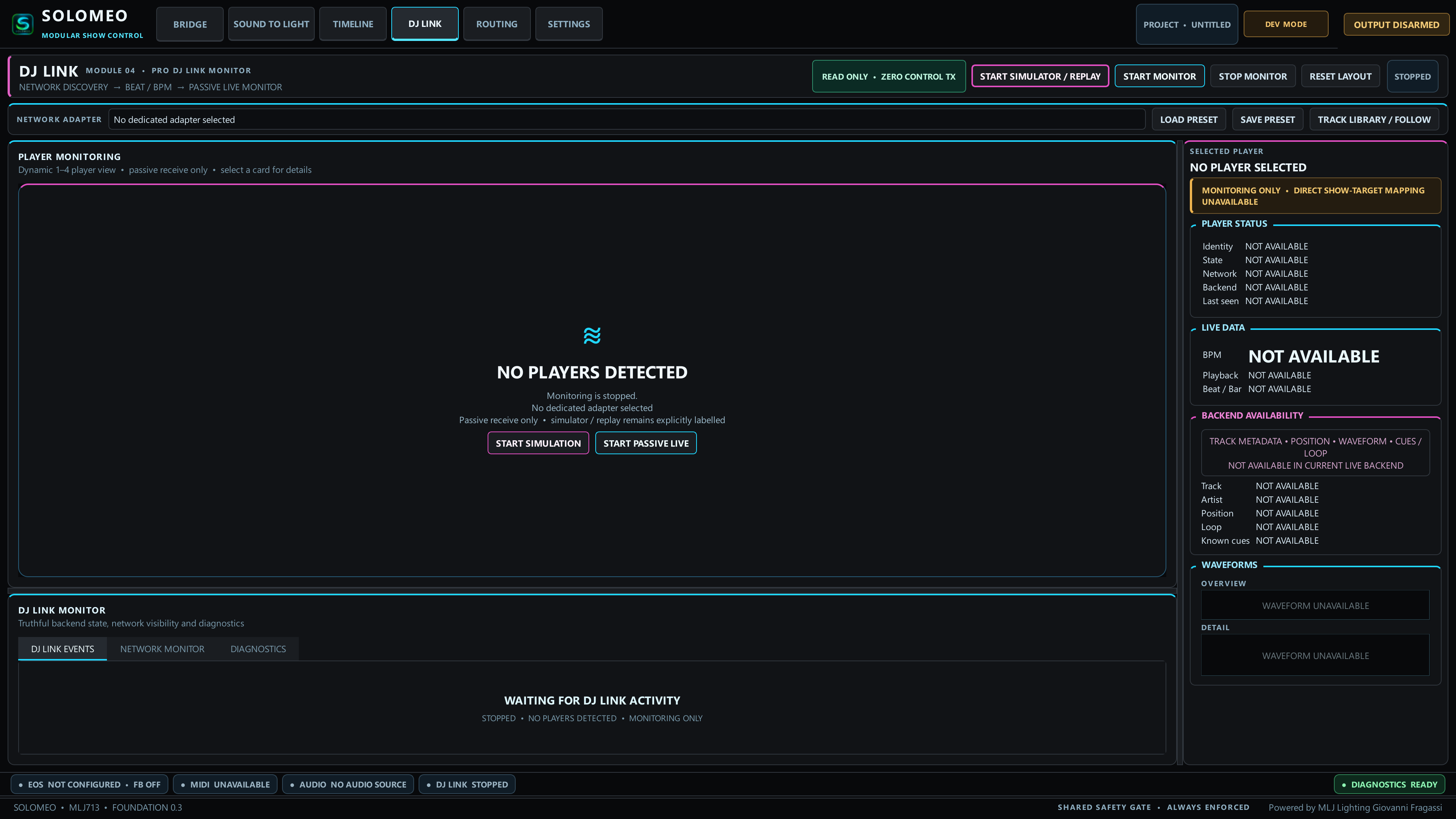
Discover available players on a selected adapter and observe Beat / BPM information in receive-only mode. Simulation is separate; no commands are sent to the players.
Capture bounded passive observations and selected status/position diagnostics, with explicit exports for future compatibility validation. Diagnostic position data does not enable live following.
Save track bindings, explicit aliases and associated Timeline documents. Import and export the library. Ambiguous identities are rejected rather than guessed.
Use one selected clock authority to exercise pause, seek, loop and signal-loss behavior through the Timeline scheduler. Following works in simulation/replay only; live origins are rejected.
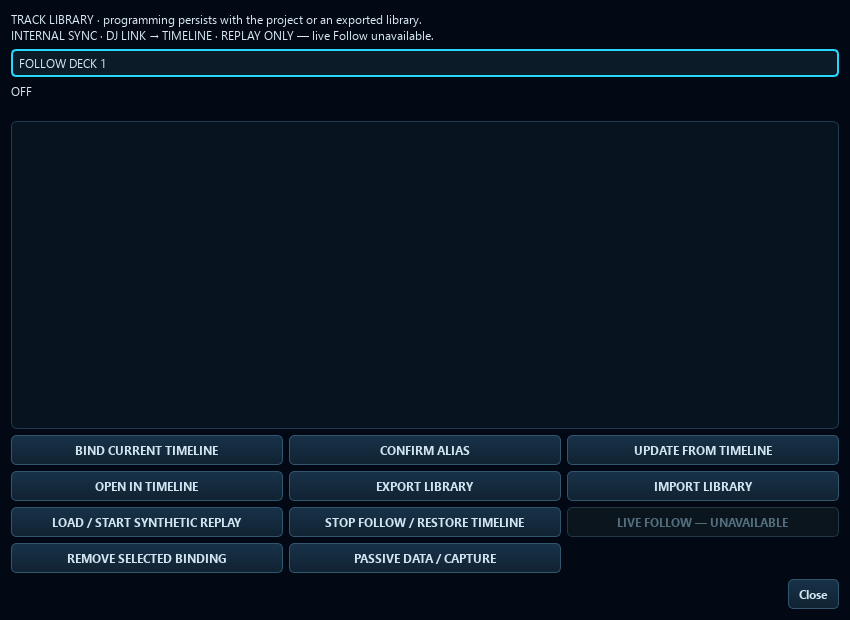
Organize prepared programming before a show. Library bindings and offline replay are distinct from real-device synchronization.
07PROFESSIONAL ECOSYSTEMS
Use supported command subsets across the suite. Available actions depend on the source module, destination profile and configuration.
| DESTINATION | IMPLEMENTED SCOPE | CONFIGURATION & VALIDATION |
|---|---|---|
| ETC Eos | Cue / Cue List, Macro, Snapshot, Submaster, managed Fader/Button, Key and custom OSC; bounded feedback. | Software-verified subsets; configure and commission the actual Eos system. |
| Resolume | Layer opacity, clip/composition actions, custom OSC, passive feedback and explicit OSC Learn. | Verify composition addresses. Real Arena/Avenue acceptance pending. |
| Hog 4 / Hog 5 / Hog PC | Documented OSC subset for playback, scenes/macros and selected controls; distinct destination profiles. | Capability gates apply. Hog 5/PC real compatibility is unverified; ordinary playback faders are not inferred. |
| ChamSys MagicQ | Supported playback, Execute, 10Scene and documented OSC commands. | Version and unlock requirements apply. Real console / unlocked-PC acceptance pending. |
| Avolites Titan | Titan v19 WebAPI and supported typed MIDI / MSC paths. | Not generic OSC. Actual Titan environment commissioning pending. |
| QLab 5 | Authorized workspace, cue and custom OSC / UDP actions; replies/updates and an explicitly configured optional Eos relay. | Workspace permissions required. TCP / SLIP unavailable; real QLab / Eos relay acceptance pending. |
| Pangolin QuickShow | MIDI Cue 1–60 triggering; matched port, channel, First Key and current/fixed page. Pulse/hold behavior; saved QuickTimeline shows addressed as cues. | Limited direct-test observation only. Timeline acceptance pending. No direct editor transport, automatic page switching or laser enable. |
| Generic OSC / MIDI | Operator-defined OSC addresses with supported scalar arguments; typed MIDI Note, CC and Pitch Bend output. | Verify receiver semantics and hardware. No universal SysEx editor, MIDI Clock or MTC. |
Integration does not imply vendor endorsement, certification or acceptance of every hardware/software combination. DJ Link external routing remains monitor-only.
08SHARED SUITE TOOLS
Configure the destinations once, keep module programming distinct and inspect the actual route used by each action.
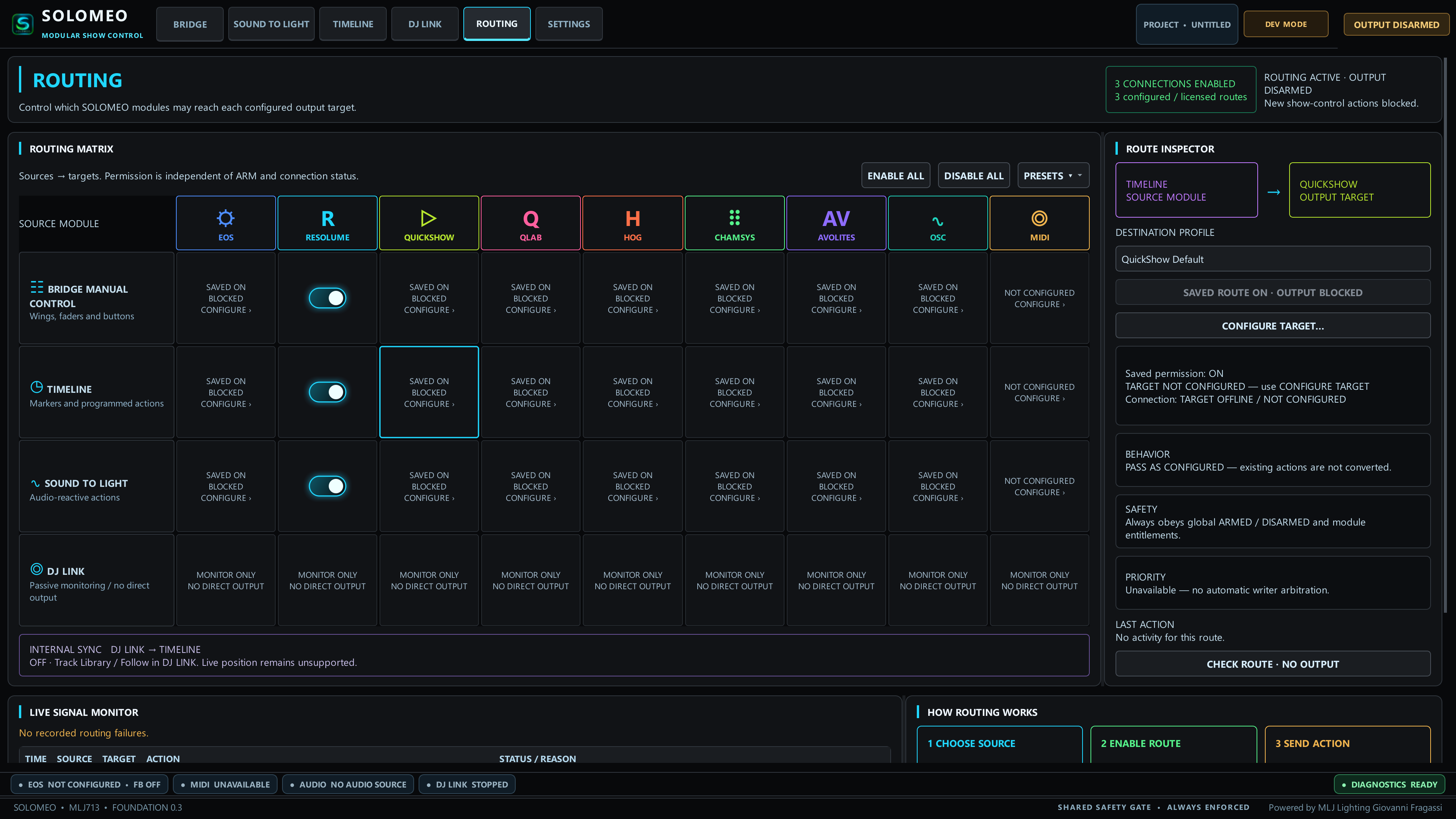
Set permissions by source module, target family and profile. Four source rows and nine target families keep permission separate from programming. Enabling a route sends no action.
Inspect the selected route, block reasons and bounded send/block activity. ON is permission, not connection. SENT is not confirmation from the receiver.
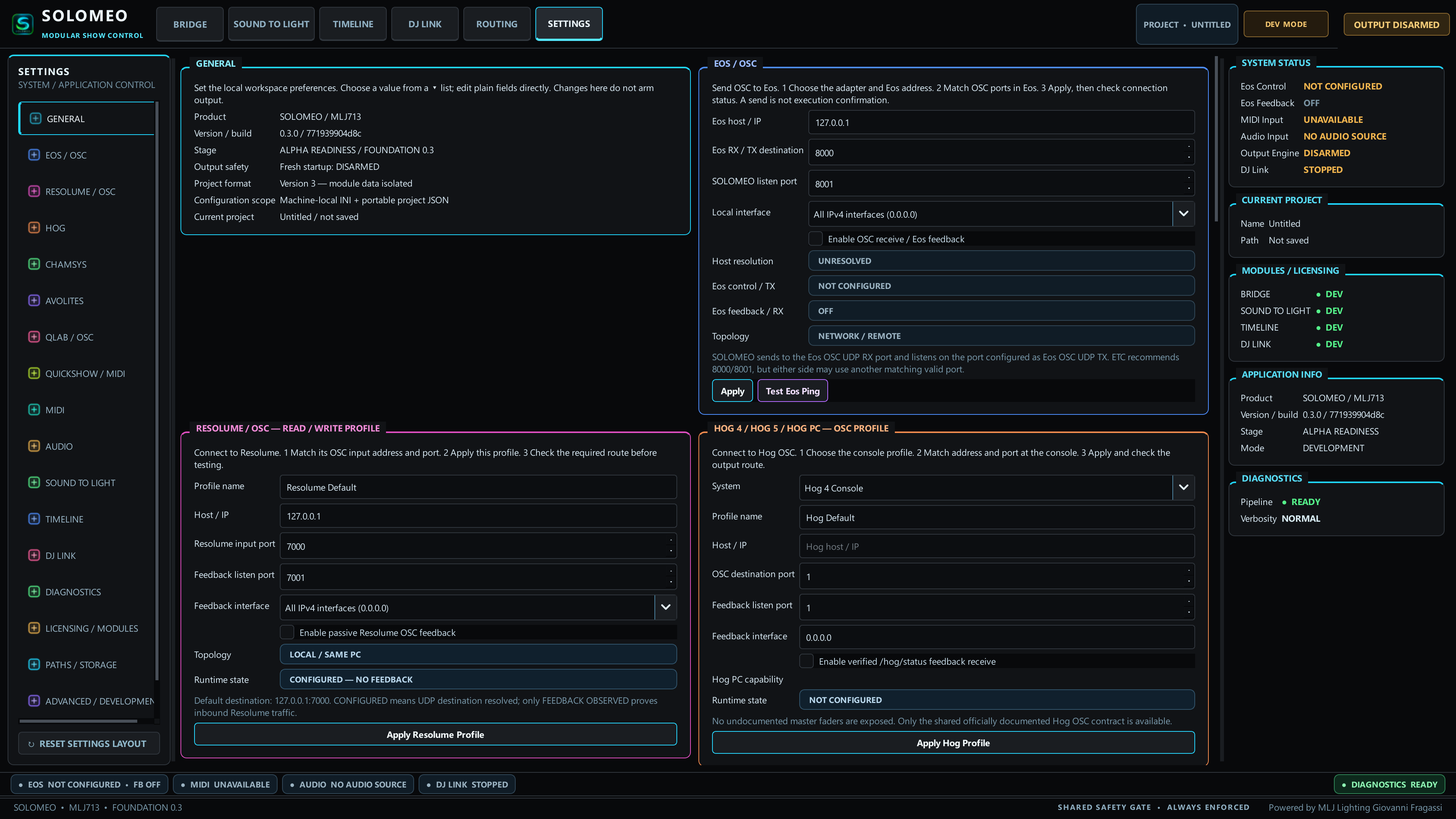
Configure MIDI, OSC, consoles, audio and module access using explicit apply/connect workflows. Editing a field alone does not apply a configuration or confirm a response.
Use bounded event/transport logs and block reasons to explain problems. Export support reports; Alpha reports include TXT/XML in ZIP. Review operational information before sharing.
09PROJECTS · PACKAGES · MODULE ACCESS
Preserve programming across sessions and move a prepared show with its original audio, while keeping installation settings explicit.
Native projects preserve programming and references. Separate module presets retain scoped settings. Project references do not automatically embed media; local destination settings require revalidation.
Export or import a validated ZIP containing the project and its original WAV/MP3 audio. Supported limits: 256 MiB of audio and 32 MiB for the project.
Signed offline licenses control access to Bridge, Timeline, Sound to Light and DJ Link. Available modules depend on the license issued; Alpha activation restrictions apply.
One SOLOMEO application. Independent modules with shared execution services. Demo DEV badges in the screenshots are not customer license entitlements.
10OUTPUT CONTROL
Editing and saving are distinct from sending actions to a show system. Shared output checks apply across the suite.
License entitlement.
Permission for the route.
Supported action and configuration.
Explicit global authorization.
11 / OFFLINE PREPARATION & DEVELOPMENT STATUS
Prepare persistent marker/action-to-cue associations, labels, numbering and a conflict model. The implemented tool is an offline draft: it does not create or publish cues on Eos and provides no reliable live readback.
Prepare a separate event-list plan, offsets and non-drop frame conversion at 24/25/30 fps. No active runtime mode switch, LTC/MTC generation or remote Eos event-list publication.
Local engineering foundations for profiles, buffers and protocol encoders are under development. They are not part of the validated deployed build: physical output is blocked, Timeline DMX actions are unavailable and end-to-end hardware acceptance is incomplete. No live network-output or full protocol-compliance claim.
EOS Learn remains in validation; DJ Live Follow remains disabled. Software verification is not physical-system certification. Configure and test the actual workstation, controllers, audio devices and receivers before relying on a workflow.