ONE BRIDGE. MORE CONTROLLERS. MORE DESTINATIONS. ALL UNDER CONTROL.
Coming soon€15
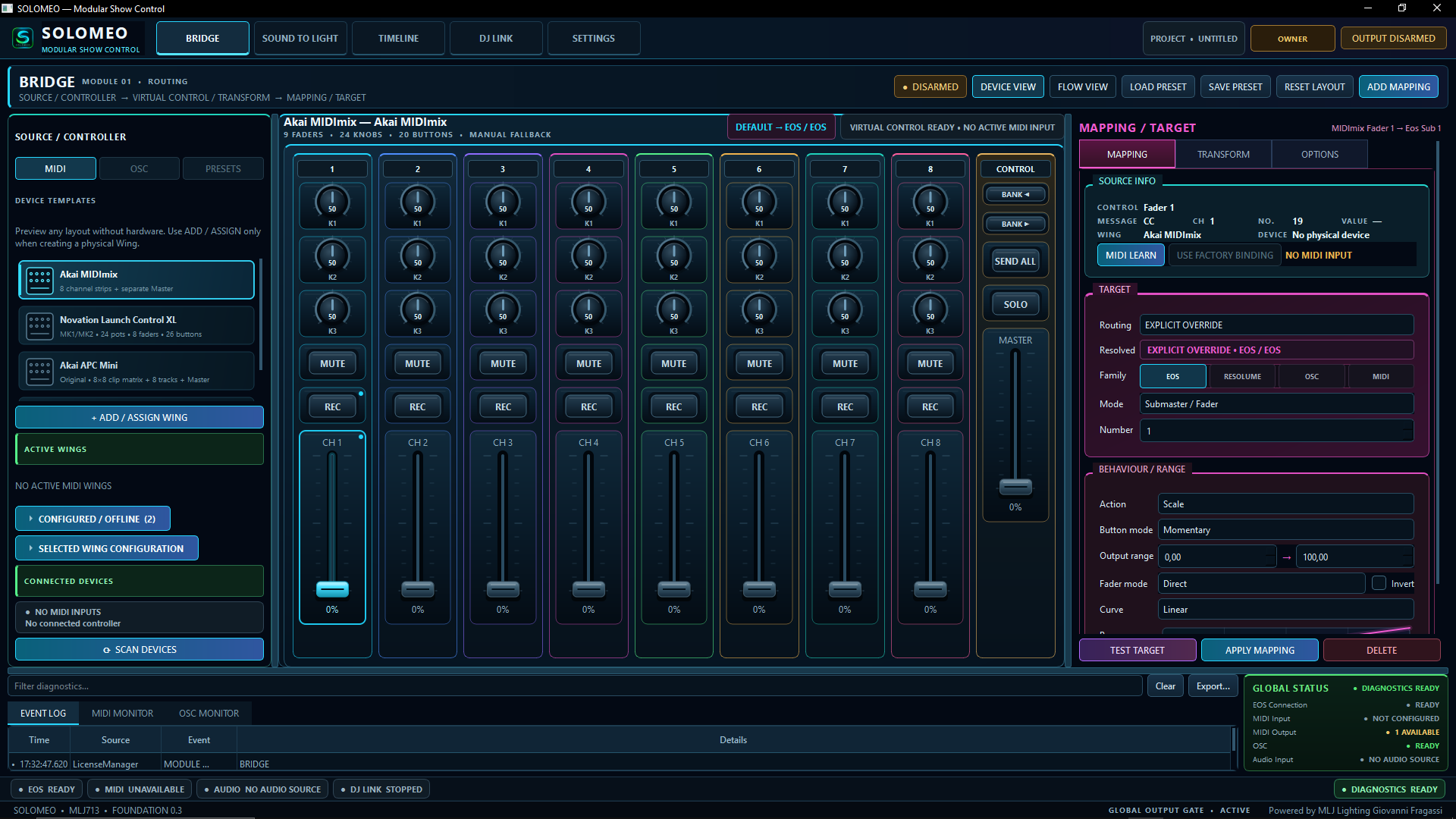
SOLOMEO Bridge application interface
What Bridge does
Physical control. Professional destinations.
SOLOMEO Bridge connects physical MIDI controllers to professional show-control software and systems. Faders, buttons, knobs and encoders become configurable control surfaces through MIDI and OSC.
Associate physical controls with virtual controls quickly. MIDI Learn stays tied to the correct wing so multiple devices can be configured without assigning input to the wrong controller.
Prepared architecture
Feedback / Soft Takeover
The architecture is being prepared for ETC Eos and Resolume feedback, soft takeover / pickup, CURRENT / STALE / UNKNOWN states, and protection against sudden fader jumps.
Safety
TEST SAFE. GO LIVE WHEN READY.
DISARMED
Preview, inspect and test mappings without transmitting real control output.
ARMED
Enable real execution through the intended safe path when the system is ready.
Part of the SOLOMEO suite
SOLOMEO BRIDGE
Professional control. For real creators.
At launch, Bridge will use machine-bound activation. After installation, the customer provides the Device / Hardware Code and MLJ Lighting supplies the activation code.