Voice-assisted programming for ETC Eos on Windows.
EGIDIO is being developed to bring spoken programming commands into your Eos workflow. Use voice as an additional way to build supported commands, alongside the console controls you already use.
EGIDIO is an independent MLJ Lighting product for lighting programmers working with ETC Eos. It brings a native Windows workspace, supported Eos vocabulary, command history, macro editing, audio controls and OSC configuration into one application.
Voice alongside manual programming
The goal is to let you choose how to work: speak a supported command, check its interpretation and continue with your usual console controls. Pause voice command sending when you want to speak to colleagues or work manually. Voice is an additional programming tool; you remain in control of the workflow.
EGIDIO + ETC Eos
EGIDIO is an MLJ Lighting product developed for ETC Eos workflows. No ETC affiliation or endorsement is claimed.
01 / WORKFLOW
How the workflow is designed to work
01
Choose your input
Select the microphone and profile, check the input state, then start listening deliberately. The microphone does not start automatically when the application opens.
02
Speak a supported Eos command
Recognition and a deterministic parser interpret supported Eos terms and numbers. This is a command vocabulary, not a free-form conversational assistant.
03
Follow the command
LIVE shows command and connection state; HISTORY records the software’s actions. OSC is the intended link to Eos. In the current diagnostic build, output remains simulated and real-console connections are blocked.
02 / ETC EOS COMMANDS
Examples from the supported command path
These forms are covered by existing parser and command tests. They illustrate the supported syntax, not a guarantee of recognition on every voice or a demonstration of live-console operation. Spoken examples remain in English.
“One thru ten at fifty enter”
1 Thru 10 At 50 Enter
Set channels 1 through 10 to 50%.
“Group one at fifty enter”
Group 1 At 50 Enter
Set the channels in Group 1 to 50%.
“Macro two enter”
Macro 2 Enter
Use the existing Eos macro-selection path. Selection is not the same as firing a macro.
03 / NATIVE WINDOWS APPLICATION
A workspace built around programming
Real captures of the native Windows application, using an isolated simulated test profile. Diagnostic and unavailable states are intentionally visible. No image demonstrates a live Eos connection.
01 / LIVE
LIVE
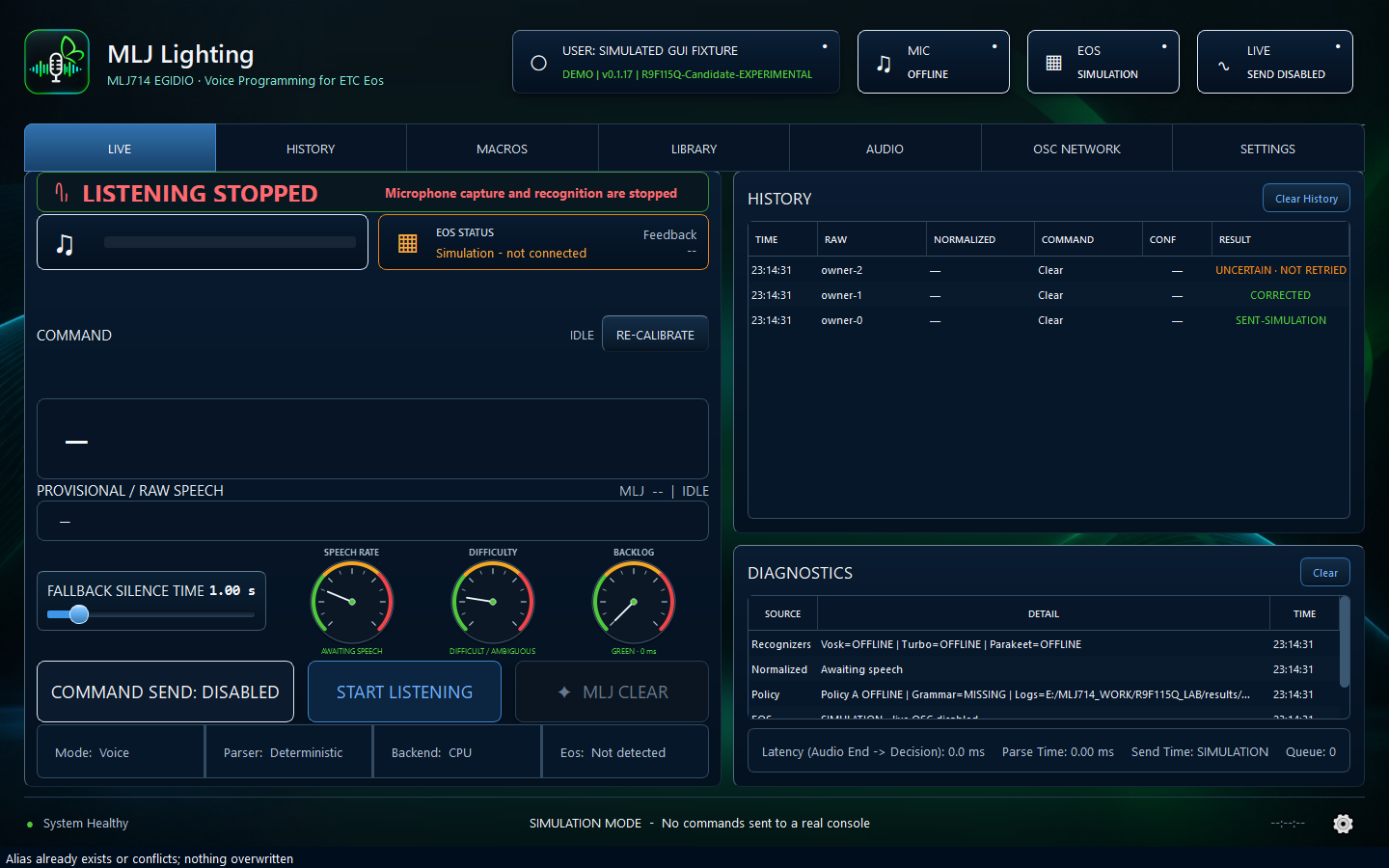
See listening, command and transport state together. Start, pause or stop from the native workspace.
Main interface · LIVEListening stopped; command sending disabled. The history rows are generated test fixtures.
02 / HISTORY
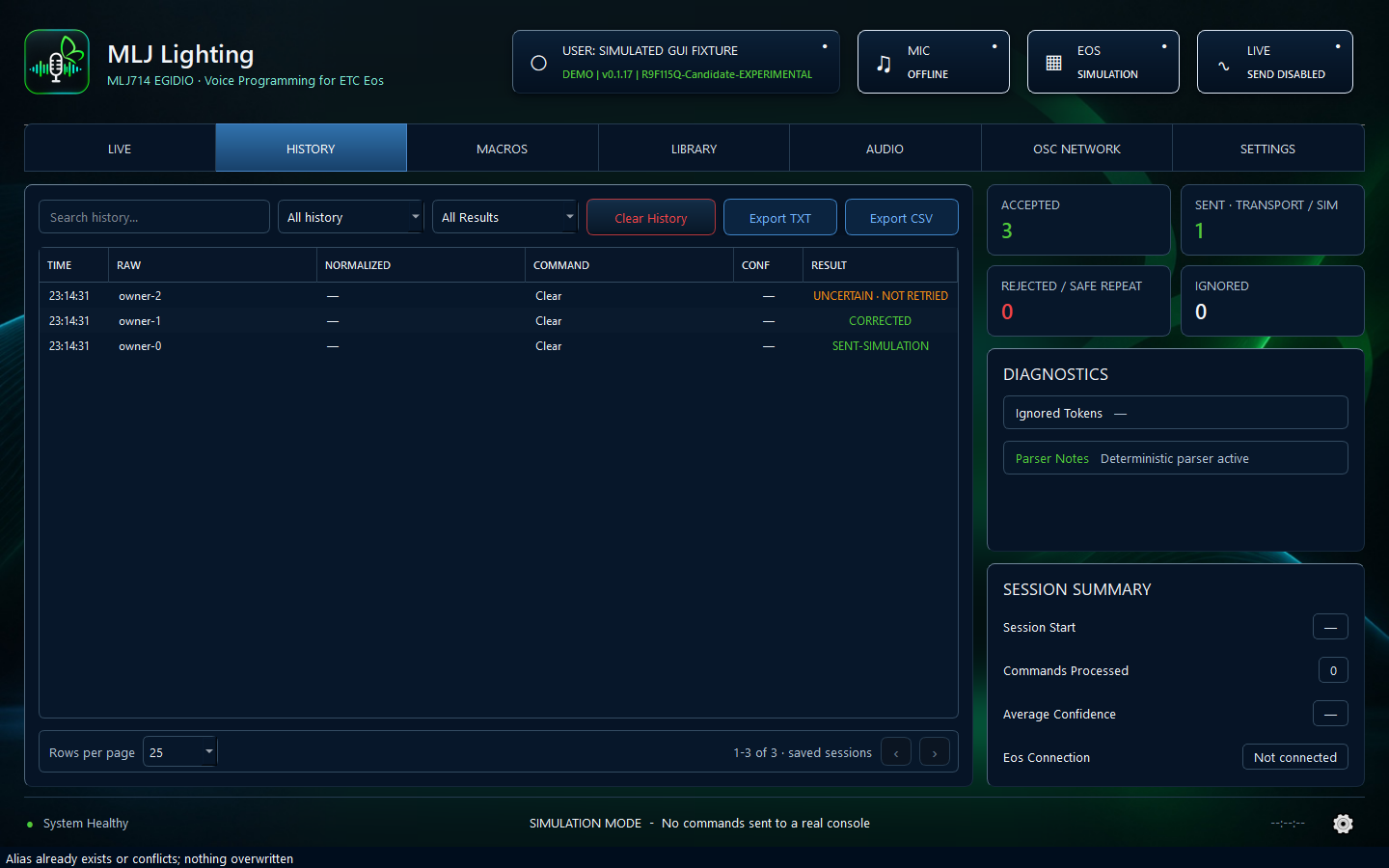
HISTORY
Review saved sessions, search and filter events, and export records. Distinguish recognised input, accepted operations, local transmission, corrections and uncertain outcomes.
HISTORYThree synthetic events illustrate simulated sending, correction and an uncertain outcome.
03 / MACROS
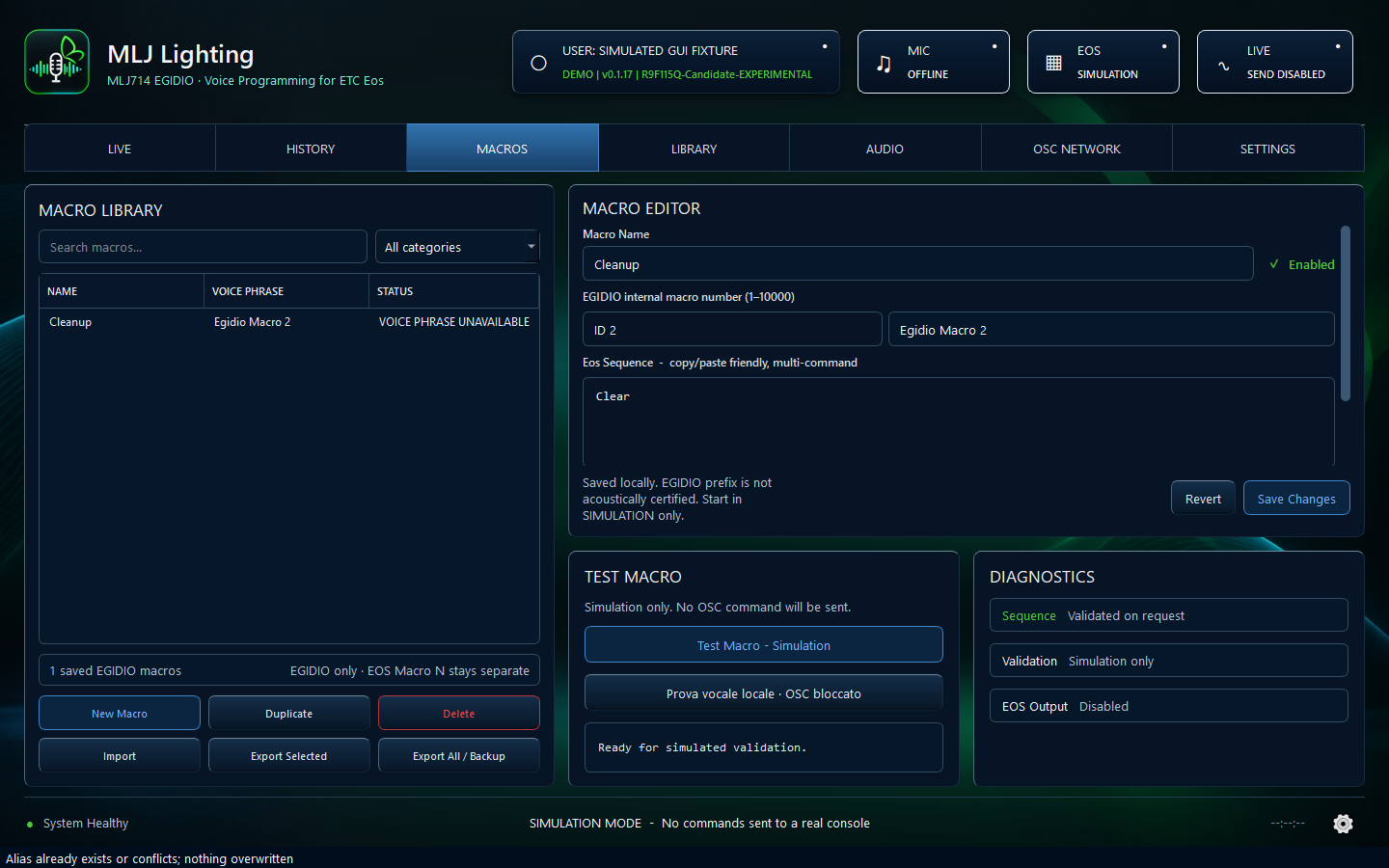
MACROS
Prepare numbered internal EGIDIO macros using supported actions; save, import, export and preview them in simulation. Eos macros and internal macros have separate destinations. Voice activation with “Egidio Macro” is still under validation.
MACROSThe numbered internal-macro editor. “Voice phrase unavailable” identifies a current limitation.
04 / LIBRARY
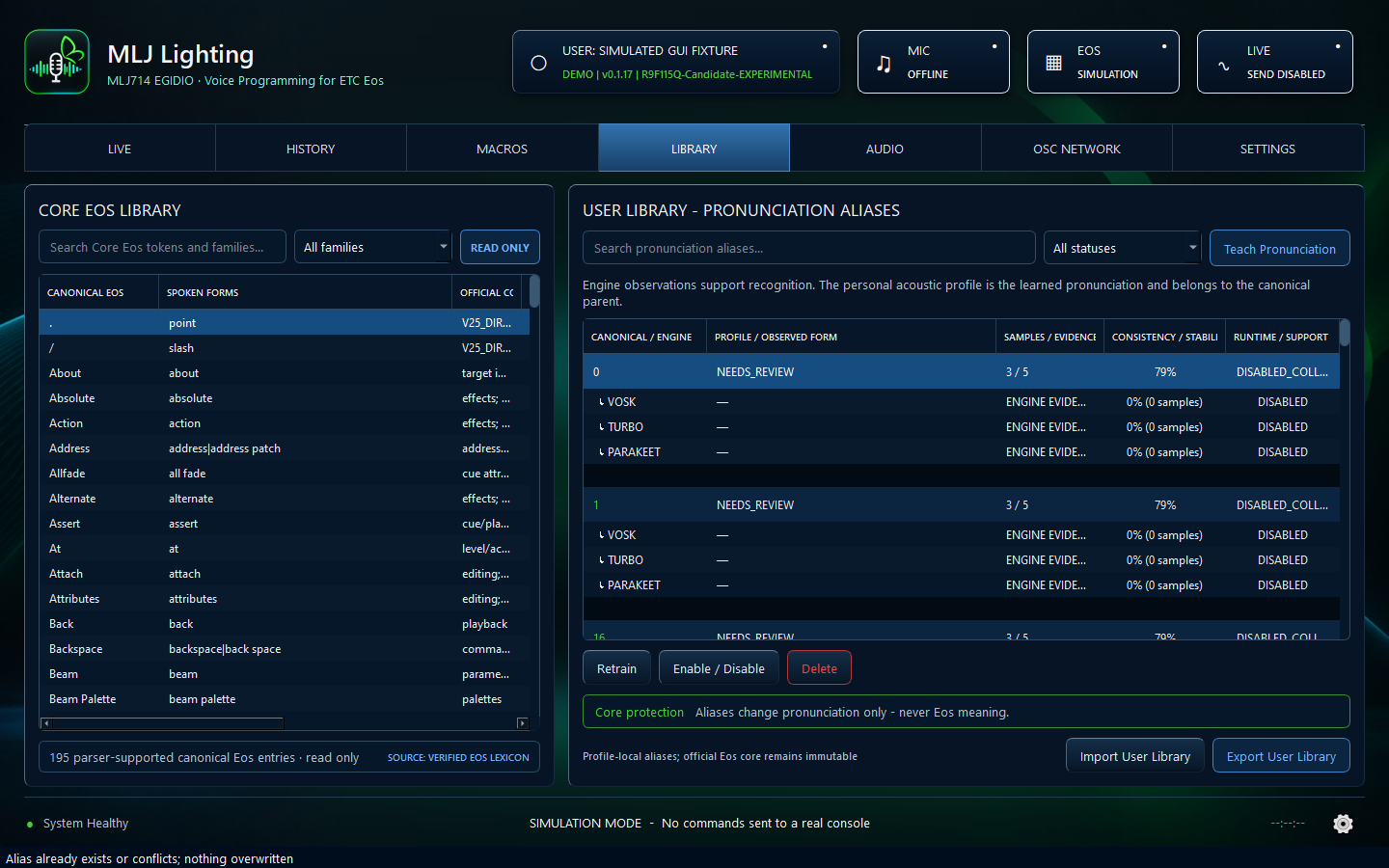
LIBRARY
Browse the Eos command vocabulary and manage optional, confirmed aliases for a profile. Aliases preserve the canonical Eos meaning; they do not automatically train the recogniser.
LIBRARYCanonical Eos terms and profile entries awaiting review; display does not prove acoustic recognition.
05 / AUDIO & PROFILES
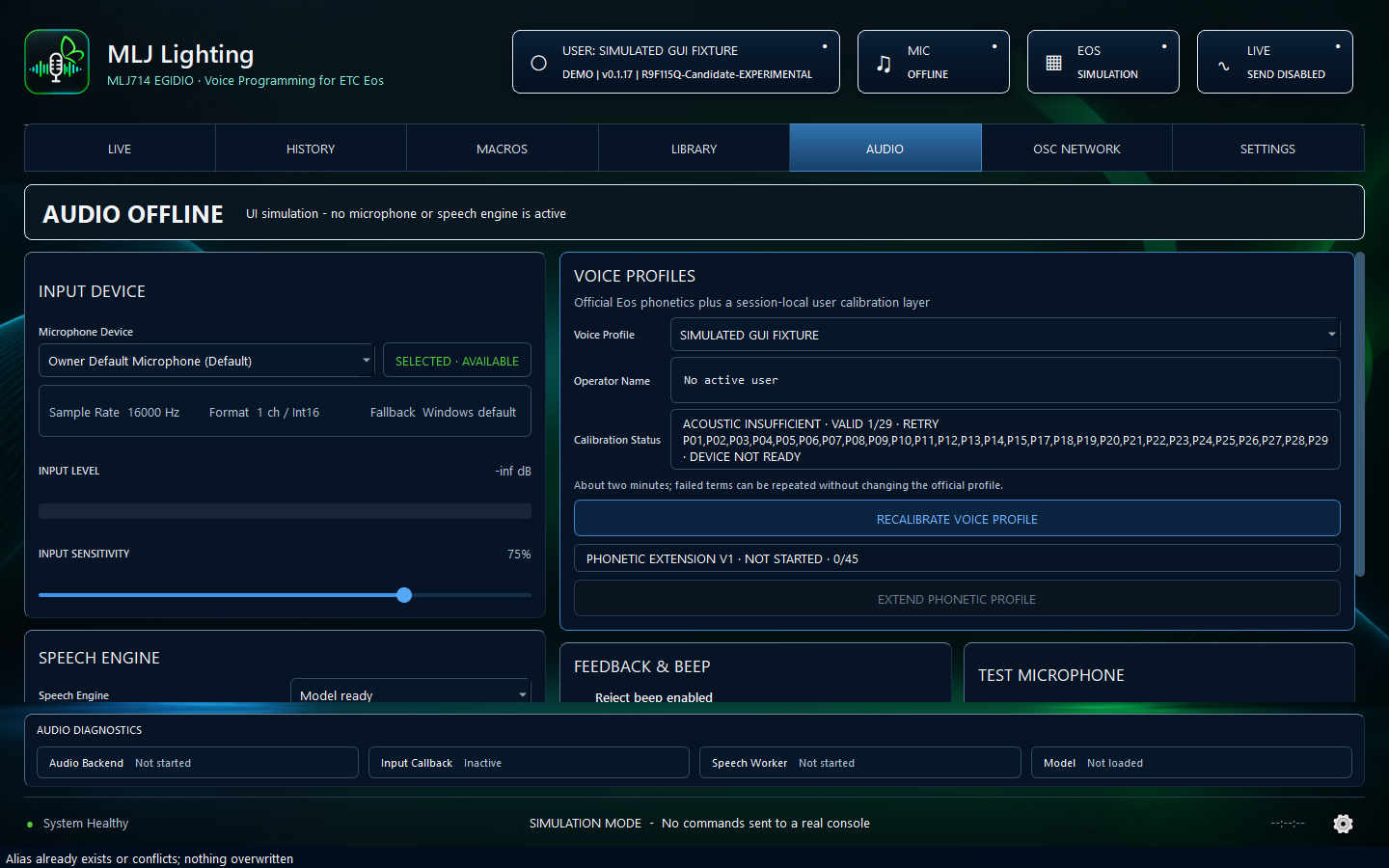
AUDIO & PROFILES
Choose an input and profile, inspect levels and acquisition state. Guided calibration exists, but the complete acoustic-learning and restore workflow is still in development.
AUDIO · ProfilesAudio is offline. The simulated profile shows a calibration that needs further work.
06 / OSC NETWORK
OSC NETWORK
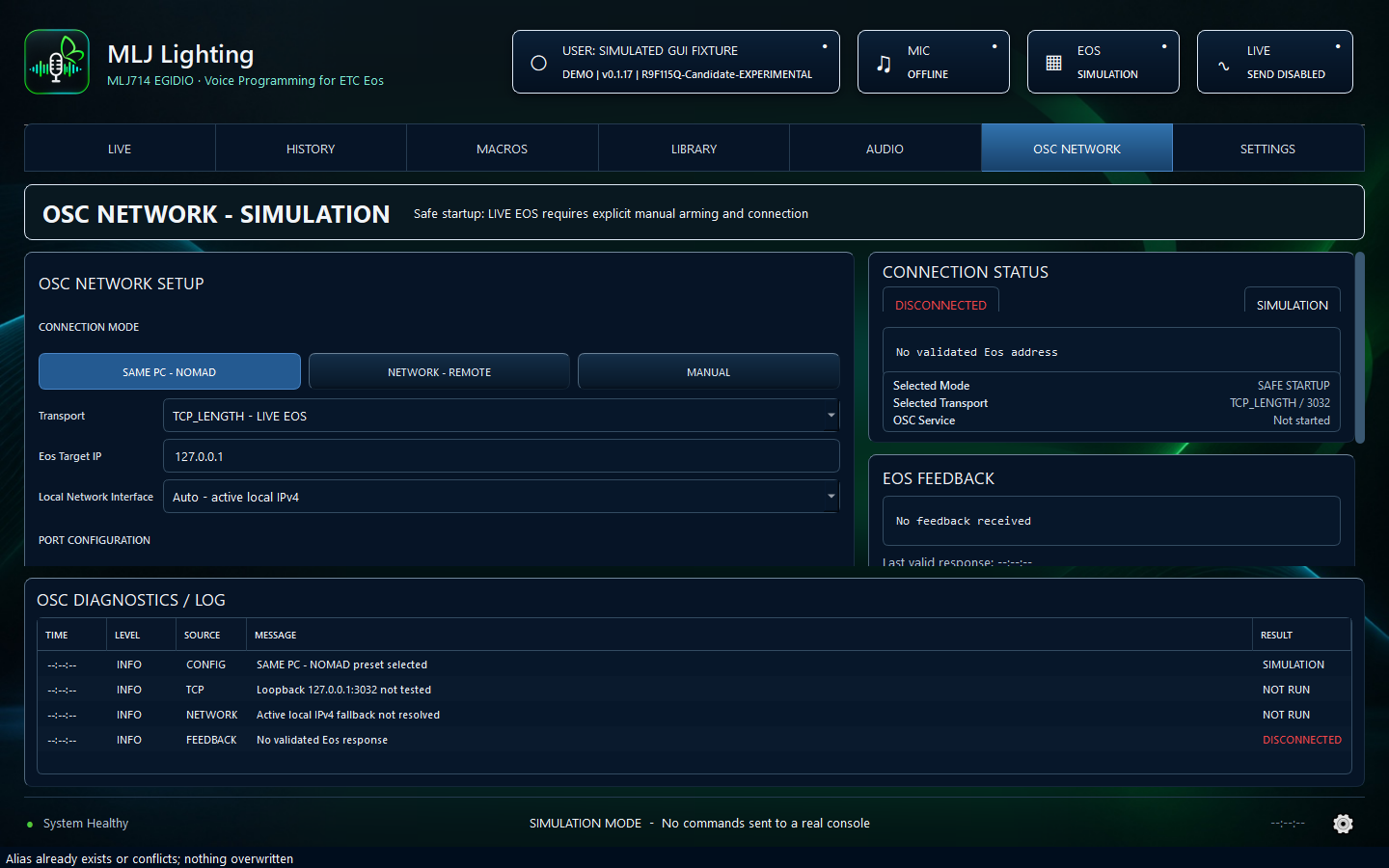
Configure addresses, ports and supported transports, including TCP_LENGTH. Connection and feedback tools have software tests; the current diagnostic build does not connect to a real console.
OSC NETWORKLocal connection settings in simulation, disconnected, with no Eos feedback received.
SETTINGS
Keep supported preferences and export or restore the verified settings subset. Some controls and full acoustic-profile restoration remain incomplete.
Control and diagnostics
Pause command sending when needed. Voluntary diagnostic sessions save audio and event evidence locally. Pause is not a guarantee against unintended commands while listening is active.
04 / VOICE + MANUAL PROGRAMMING
Why add voice to your workflow?
An additional way to enter supported channel, group and level commands.
A visible record of what the application recognised and prepared.
A single workspace for vocabulary, reusable actions, audio and connection settings.
The choice to alternate voice input and traditional Eos controls.
These are workflow benefits and product goals. No universal accuracy, latency or compatibility claim is made.
05 / DEVELOPMENT STATUS
In development
SOFTWARE VERIFIED
EGIDIO is not yet publicly available. The current build is a local diagnostic version: software functions have been tested, while real-console operation and some voice features still require validation. No public download, price or purchase is available.
VALIDATION PENDING
The numbered editor and software routing have tests. Recognition of the “Egidio” prefix and its separation from Eos macros still require representative acoustic validation.
IN DEVELOPMENT
Choose an input and profile, inspect levels and acquisition state. Guided calibration exists, but the complete acoustic-learning and restore workflow is still in development.
REAL EOS VERIFIED · NONE IN CURRENT BUILD
This source package makes no real-console certification claim for the current build. Its real OSC connection is deliberately blocked while validation remains incomplete.
06 / COMING SOON
Before release
Can I download or buy EGIDIO now?
Not yet. EGIDIO is Coming soon. This page introduces the product and its current development status.
Does EGIDIO replace manual Eos programming?
It is designed to complement it. You choose when to use voice and when to use the console’s traditional controls.
Are internal voice macros already validated?
The numbered editor and software routing have tests. Recognition of the “Egidio” prefix and its separation from Eos macros still require representative acoustic validation.
Does an English, Italian or French page mean voice control in all three languages?
No. These are website languages. The documented command examples use English Eos terms and numbers; multilingual voice recognition is not claimed.
What has been verified with a real console in this build?
This source package makes no real-console certification claim for the current build. Its real OSC connection is deliberately blocked while validation remains incomplete.
EGIDIO · Coming soon
A voice-assisted approach to Eos programming, developed by MLJ Lighting.
EGIDIO is an MLJ Lighting product developed for ETC Eos workflows. No ETC affiliation or endorsement is claimed.